

Hi !
We’re very excited to unveil MadMapper version 6.2,
featuring Notch files playback and a Task editor to group Cues and play them back in a theatrical fashion. And some other good stuff ...
New Notch Block Integration !

You've asked for it. It's here.
Big up to our great friends at Notch.one ! You can now load your Notch Blocks directly into MadMapper, which will populate exposed parameters accordingly: control everything from the timeline, map the content on quads or use it to send DMX data.
When it comes to demanding realtime graphics, Notch is simply one of the best toolkit around. It is now compatible with MadMapper and your GPU will roarrrrrr.
Note: that you'll need a Notch license to run your blocks.
Drag'n'drop your block into MM and it will appear as a media.
Windows ONLY
Subtitles Support
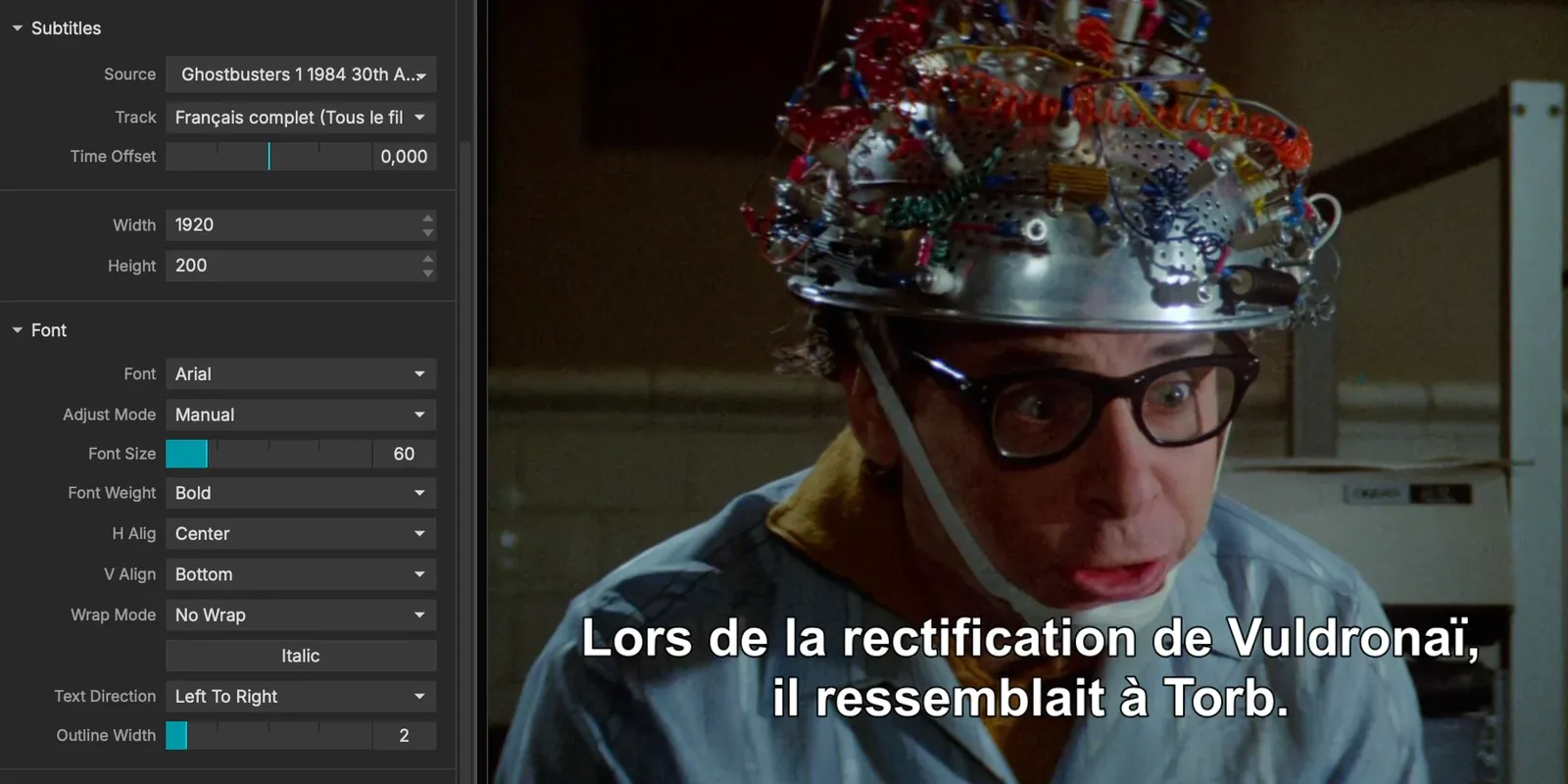
Play them directly from your MKV, or load up an external SRT, even playback multiple subtiles at the same time. Full parameter access for your subs is mandatory!
Task List
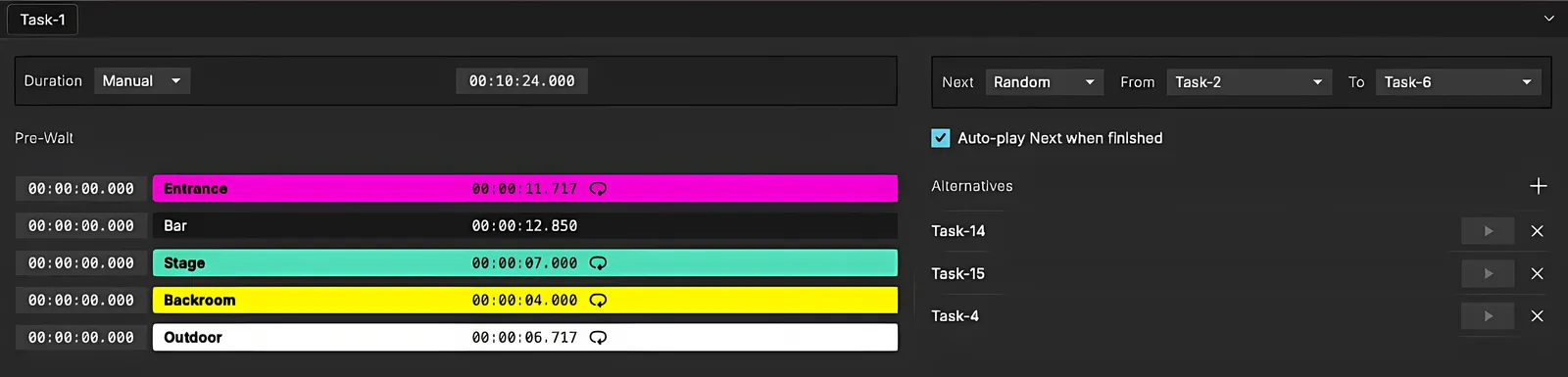
Group cues together to form a Task. Trigger tasks one after the other for theater shows. Just like a CueList.
MediaPipe Integration
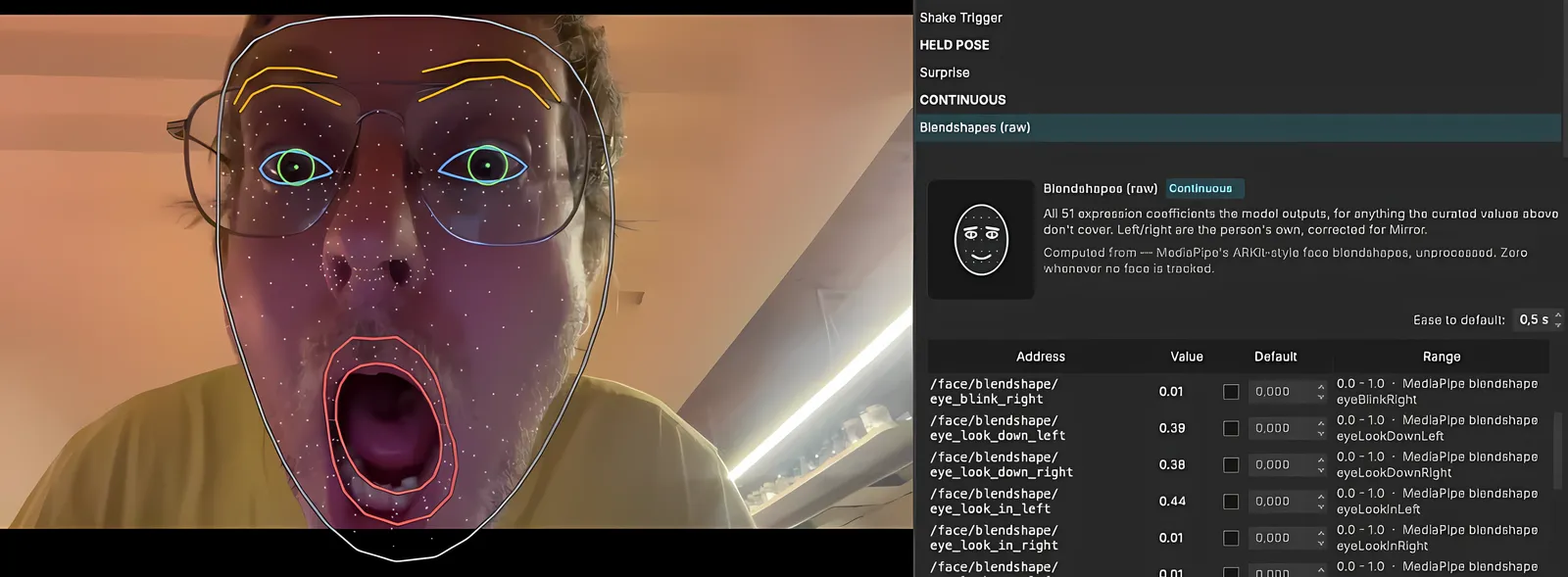
Track hands, skeletons and faces via a dedicated Module.
You can run multiple instances of the Module at the same time and track from different cameras or media.
Built in DefaultEasing to smoothly interpolate parameters when no detection occurs. Perfect for your next interactive piece !
TouchDesigner Integration

Simplify your setup and load your TOX files in MadMapper.
The feature is accessible though a dedicated Module that will generate published textures (optional) and parameters.
Note: that you'll need a TD license to run your .tox
WebMedia + WindowGrabber
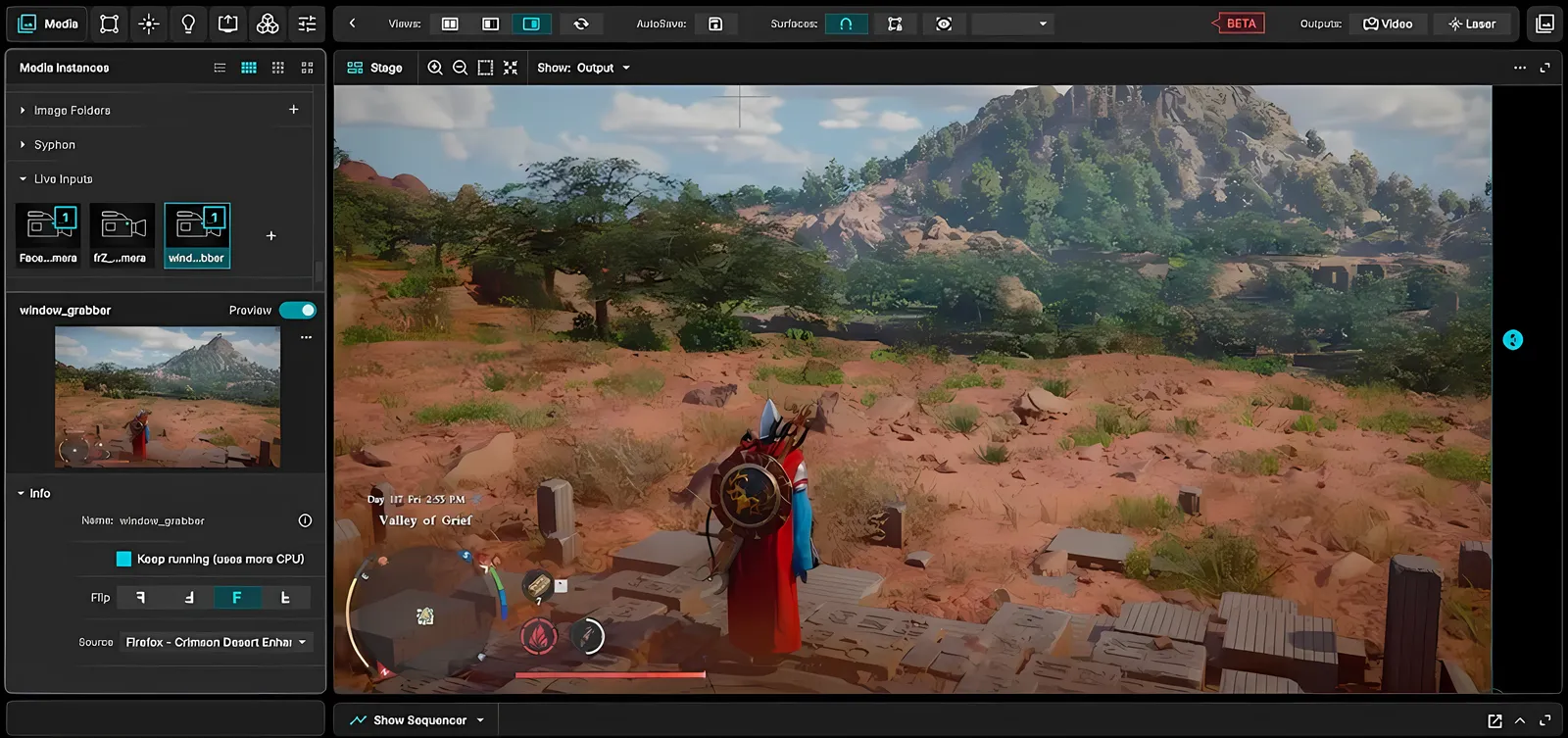
Use any webpage as a media, and grab any application's window, directly into MadMapper. Some used it to map their Tinder feed...
... or play their favorite video game on a building facade.
Audio FX
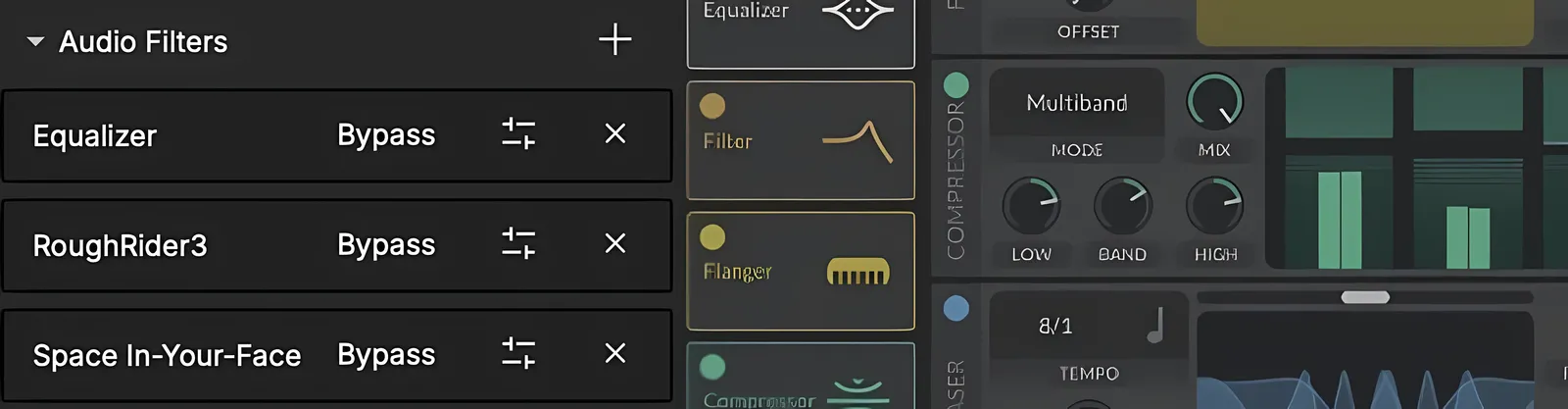
Stackable Audio FX !
Supports VST3 and AudioUnits. Add FX on your audio track within a scene/cue, or directly on the master.
Need some reverb ? Boom, we got you !
Stack, reorder, bypass ... one step closer to your DAW.
CIExy color sampling
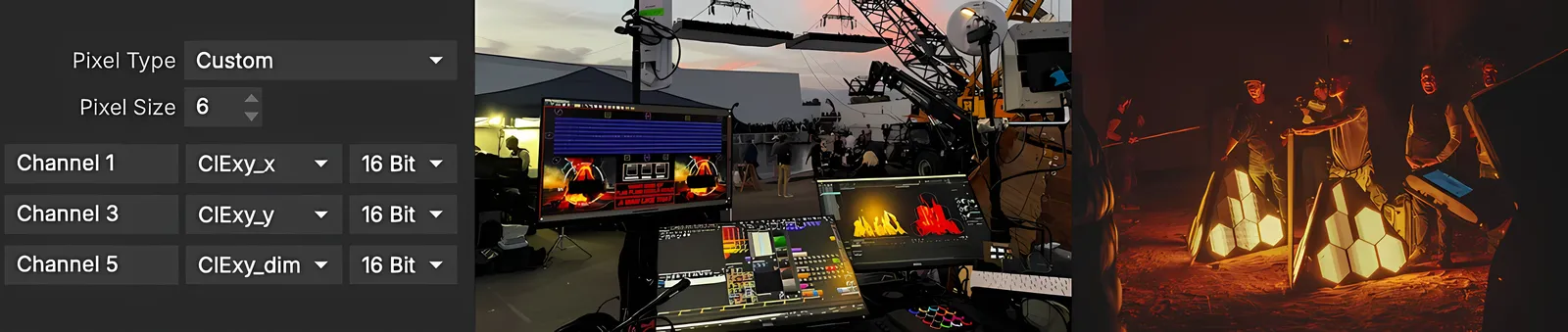
Hello Hollywood !
The pros asked for it: CIExy color sampling now comes to DMX fixtures. And it's been used on Christopher Nolan's "The Odyssey".
No more manually converting values. Work faster.
As they say in Hollywood: " Time is Money".
MadMapper 6.2.0 Release Notes
Additions
- Added Tasks (GO button to sequence a live show)
- Tasks can be controlled from Controls / OSC: "/show/<bank>/tasks/go", "start_by_number", "start_next", "start_previous", "by_number/<n>/start", "by_name/<task>/start", "by_name/<task>/alternate_next/<target task>"
- Added Notch support: load a Notch block as media (Windows only)
- Added TouchDesigner support: load a TOX as a module
- Added Audio plugins support in master & audio tracks (VST3 on macOS & Windows + Audio Unit on macOS)
- Added Audio Output Level meter on the master audio output and Show Sequencer audio tracks
- Added WebPage media: use any webpage as an interactive media
- Added Window Grabber media: use any application window as media
- Show Sequencer (formerly "Timelines")
- Conductors & Grids are split in different banks, a conductor can reference Scenes/Cues from any Grid bank
- Added equalizer on timeline Audio Tracks
- Added MadLight track (Add MadLight Track): record DMX (all incoming ArtNet) in a clip and play recorded DMX sequences back as clips
- Added OSC Query support as client to add OSC tracks (Add OSC Track / OSC Query...)
- Added "Link Audio level to surface opacity" option on montage clips
- Added timeline start marker to define where you want the timeline to start playback
- Cue Grid can be flipped (to swap columns/rows)
- Option to show a window to monitor incoming timecode (for Conductor in ExtSync)
- Possibility to have multiple "ghost" copies of a scene/cue in the grid (right click / Paste as Ghost or Cmd+Shift+V / Ctrl+Shift+V)
- Added MediaPipe module for Hand, Body & Face tracking
- Subtitles:
- Display a movie's subtitles, directly in the player or in a separate visual
- Playback SRT files
- DMX Fixtures
- Added support for HSI & CIE xy color control
- Added FPS mode option for ArtNet & sACN output (Fixed FPS / Variable FPS)
- Controls
- Handle MIDI Controls specific to a MIDI device (from Project Settings / MIDI / MIDI Input / Mapping Device)
- Soft-Edge: added "black level compensation", used to hide the fact that projectors cannot produce a true black
- Added Ascii Art Surface FX
- Expert Mode is now saved in the project (Project Settings > Expert) and reveals new advanced options for media, surfaces, outputs and the Show Sequencer
- Added an extract button in the editors panel header, to open the selected editor in its own window
- Output parameters can be controlled (through Controls) & Cued (e.g. start/stop fullscreen)
Improvements
- Increased User Interface contrast
- Video Output / Laser Output destination popup now shows which screens/lasers are already in use
- Improved constrained move (Shift+drag item in preview): handles multi-selection + supported for mesh warping items
- Images are loaded only when used to reduce memory usage with hundreds of images + load asynchronously
- Restore Preferences geometry when reopening it
- Projects can now be saved in the Demo version, for testing only: Demo projects can’t be opened by a licensed version
- Added all combinations of RGB orders (RBG, GRB...) by default for LED Strips & LED Matrices
- Added project export archive option
- Updated Canon EDSDK to version 13.20.20.0
- Better handling for audio routing of 5.1 / 7.1 audio channels movies to mono or stereo output
- Optimizations handling huge projects
- Added supported filetypes filtering in media import dialog
- Improved Laser Device status (showing network errors etc.)
- Improved Lottie file support
- Optimized Laser Text surface
Fixes
- Fixed possible networking issues on macOS
- Fixed master settings being reset when loading a project or saving it for the first time
- Fixed reloading V5 project Cue Scheduler module parameter "bank"
- Fixed exporting project in certain circumstances
- Fixed reloading Show Scheduler year & month settings
- Fixed surface output position handles position control nodes when loading a project
- A scene could change fixture visibility while fixtures are excluded from timelines
- Fixed a possible issue in AVB laser output with some USB device drivers
- Blackmagic: fixed possible issue with multiple video-inputs devices
- Fixed possible audio crackles in movie playback with FFMPEG Player
- Fixed editing FPS / BPM of a timeline while it’s playing
- Fixed getting alpha channel when snapshotting a video output (e.g. in PNG)
- Fixed crash loading pre 6.0 project file with offline module attributes
- Fixed mask position when pasting mask copied from quad mask with “attach to” = nothing or input
- Fixed processing engine if a laser lines surface has an offline FX
- MiniMad: Fixed exporting several media files with the same filename from different folders
- Fixed exporting a project when loaded by double-clicking
- Fixed project backup overwriting other project version's backup file
- Fixed possible crash after a Space Scanner
- MadLaser:
- IDN was just detecting the first port of each device
- Removed device Pangolin Zone 0 (which was not going anywhere)
- Various bug fixes
